We highly recommend entering Standard Services as soon as possible. Each Standard Service is a list of items that may be copied into a contract. Standard Services are entered by selecting Std Services from the Find a Funeral Screen in A/R PRO or P/N PRO. The same Standard Services are available for you use in both at-need and preneed contracts.
Selecting this option brings up the Standard Services Editor.
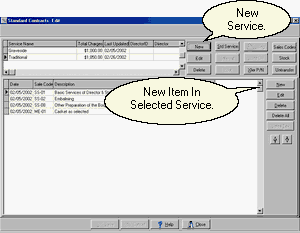
The Editor looks very much like the Contract List although some buttons have been disabled. To enter a Standard Service click on New.
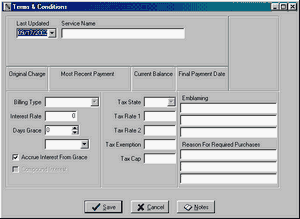
Enter a Service Name and Click on Save. Typical names for Standard Services are Traditional, Cremation, Graveside, Catholic, and Ship-Out. Any combination of items that you typically offer as a group is a candidate for a Standard Service. You should ignore the interest, sales tax, and disclosure fields as the program does not take this information from Standard Services.
Use the New Button at the right to add transactions to your service.
Notice that the Standard Services page has a Standard Services button at the top of it. You may use this feature to copy one Standard Service into another one.